English
Connect your Magento store
Connect your store once, from Settings > Integrations, and your products, stock and prices stay in sync with the marketplace without any work on your side: you keep selling from your store, and the marketplace follows.
What syncs
- ✅ Simple and configurable products, prices and stock, checked every 15 minutes
- ✅ Orders: the marketplace's orders are placed in your store
- ✅ Tracking, within the hour of creating the shipment
Magento Open Source, Adobe Commerce 2.4.4 or later, and Mage-OS. Bundle, grouped and downloadable products are not imported.
Connect
In your Magento admin, go to
System > Extensions > Integrationsand clickAdd New Integration. Name itGarnet Marketplace, leave the callback and identity URLs empty, enter your password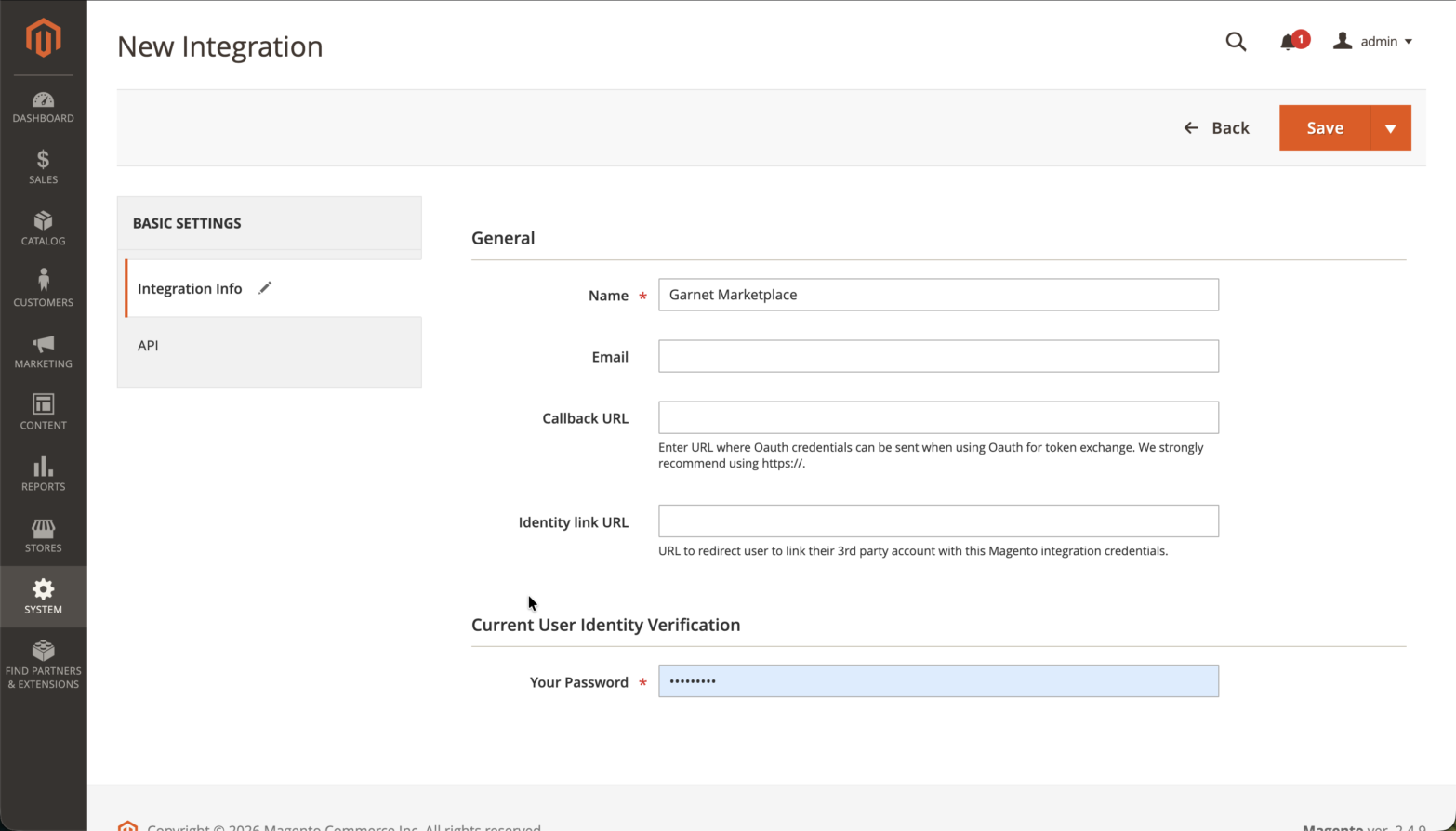
In the
APItab, setResource AccesstoCustomand tick:Sales > Operations > Orders > Actions > ViewandComment,Sales > Operations > Shipments,Catalog > Inventory,Carts > Manage carts,Stores > Settings > All Stores,Stores > Attributes > Product, andStores > Inventory > Sales Stockwhen that branch exists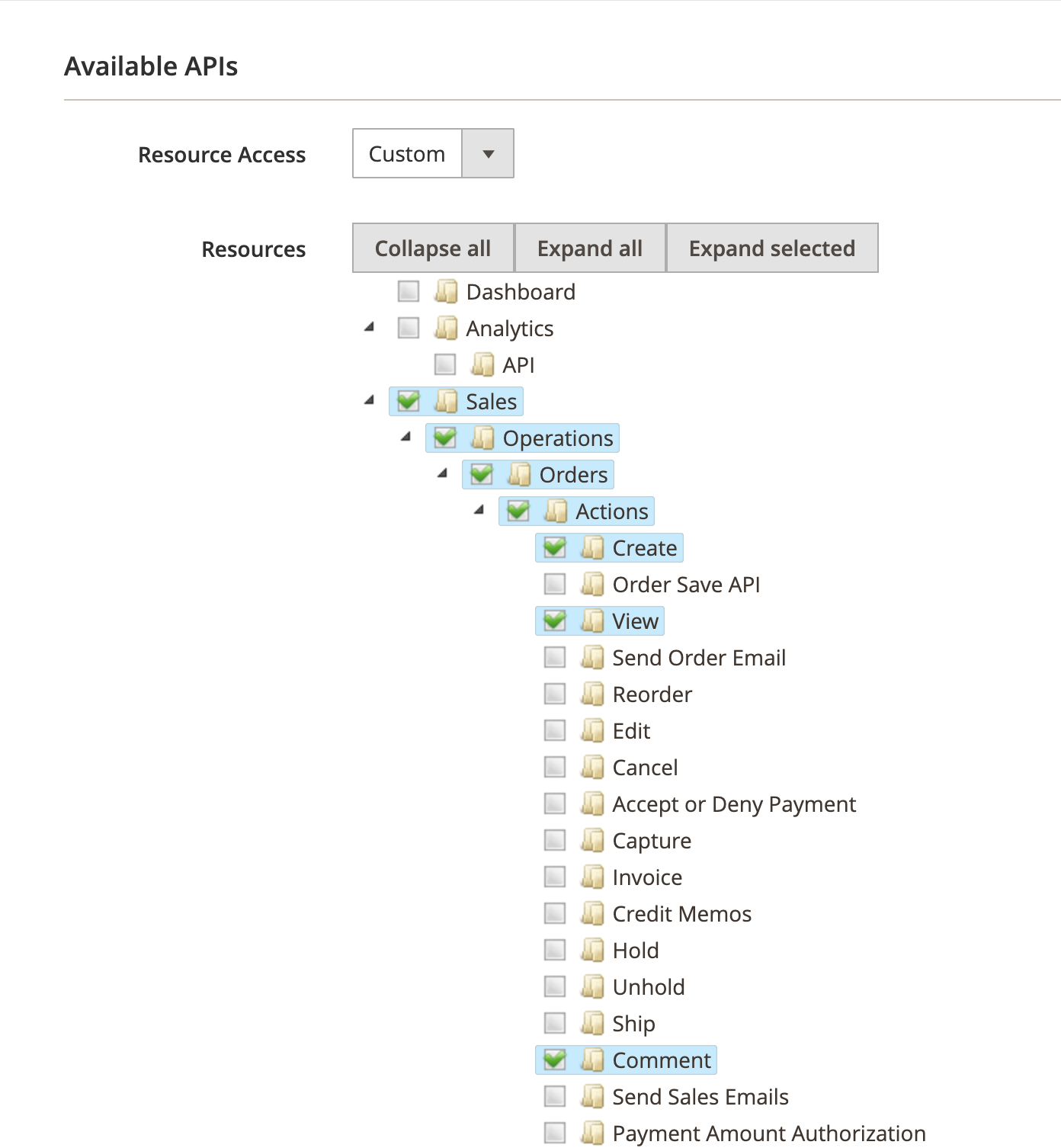
Save, thenActivateandAllow: Magento shows four keysIn
Settings > Integrations, pickMagento, enter your store URL and paste the four keys, thenConnect: the marketplace checks each resource and names any missing one
Your products appear in Products within minutes. Under the advanced settings, set the shipping and payment methods of the marketplace's orders: a free shipping method is best, since the customer already paid shipping on the marketplace, and an offline payment method, since the customer already paid.
The marketplace's orders in your store
They are guest orders with a comment [Marketplace] Order #1234: search your orders on it. Create the shipment with its tracking number as usual, and the customer receives it.
Security
Everything the marketplace does on your store comes from two addresses: 63.184.34.121 and 63.188.133.167. If your server sits behind a firewall, allow them; for extra security, you can allow the REST API to those two addresses only.
If it does not work
- A resource is missing: tick it, click
Reauthorizenext to the integration, and paste the two new access tokens inSettings > Integrations. - A change took long to show: Magento does not announce changes, the marketplace checks every 15 minutes.
- The stock is wrong: with Multi-Source Inventory, the salable quantity of the store view's website is used.
Ask your marketplace
Whether it imports all your products or picks them.