English
Why is my product not on the marketplace?
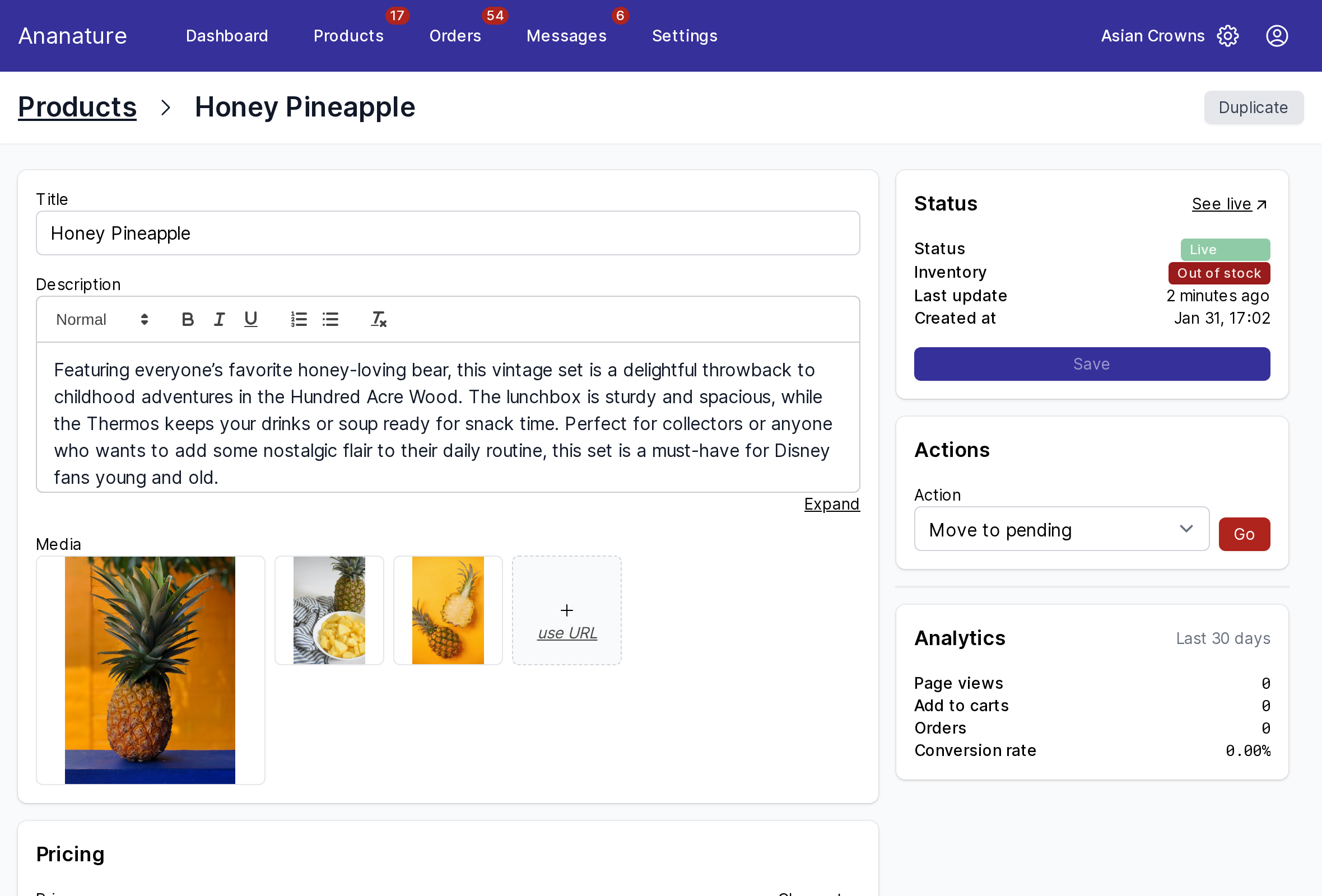
Open the product from Products: the Status card on the right says why, and what to do.
Pending
The product waits for your marketplace to approve it. Every new product starts here, unless your marketplace approves automatically. Nothing to do but wait; the Pending products count at the top of Products lists them all.
Needs changes
Your marketplace reviewed the product and asked for changes: its note is on the product page. Make the changes and click Save: the product goes back to review.
Live, but out of stock
A Live product with an Out of stock badge is on the marketplace but cannot be bought. Set its quantity, or the quantity of each variant, and save. A product synced from your store follows the stock of your store.
Live, but not found
A product just approved can take a little while to appear in the marketplace's search and collections: the marketplace's site indexes it on its own schedule. Open it with See live in the Status card to check it is there.
Archived
An archived product is off the marketplace and out of your list, with its order history kept. You archive it with Actions > Archive; only your marketplace can bring it back.
Synced from your store, but missing
A product of your connected store is imported only once it is active there, has at least one image and, on most marketplaces, some stock. See Connect your online store.
Ask your marketplace
How long approval takes, why a product was refused, to restore an archived one.