English
Connect your Wix store
Connect your store once, from Settings > Integrations, and your products, stock and prices stay in sync with the marketplace without any work on your side: you keep selling from your store, and the marketplace follows.
What syncs
- ✅ Products, options, variants, prices and stock, as soon as they change
- ✅ Orders: the marketplace's orders are created on your site, approved and paid
- ✅ Tracking, package by package
- ✅ Several marketplaces from one site
Your site needs Wix Stores with its current catalog.
Connect
In
Settings > Integrations, pickWixand copy your integration keyOpen the Garnet Seller installation link and click
Add to Site, thenAgree & Add: the app reads your products and stock, and creates the marketplace's orders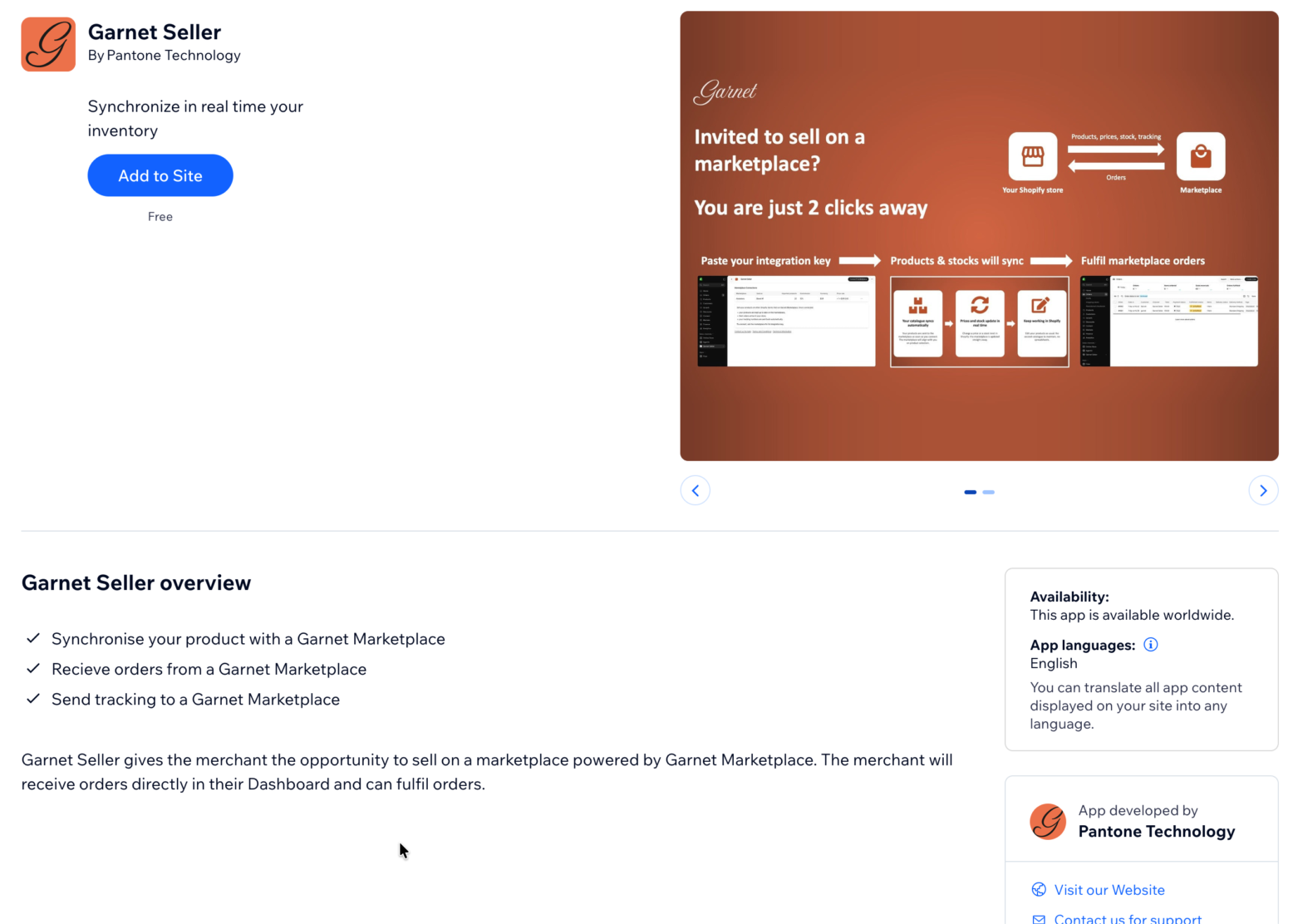
In your Wix dashboard, open
Apps > Garnet Seller, clickConnect marketplace, paste the key and clickConnect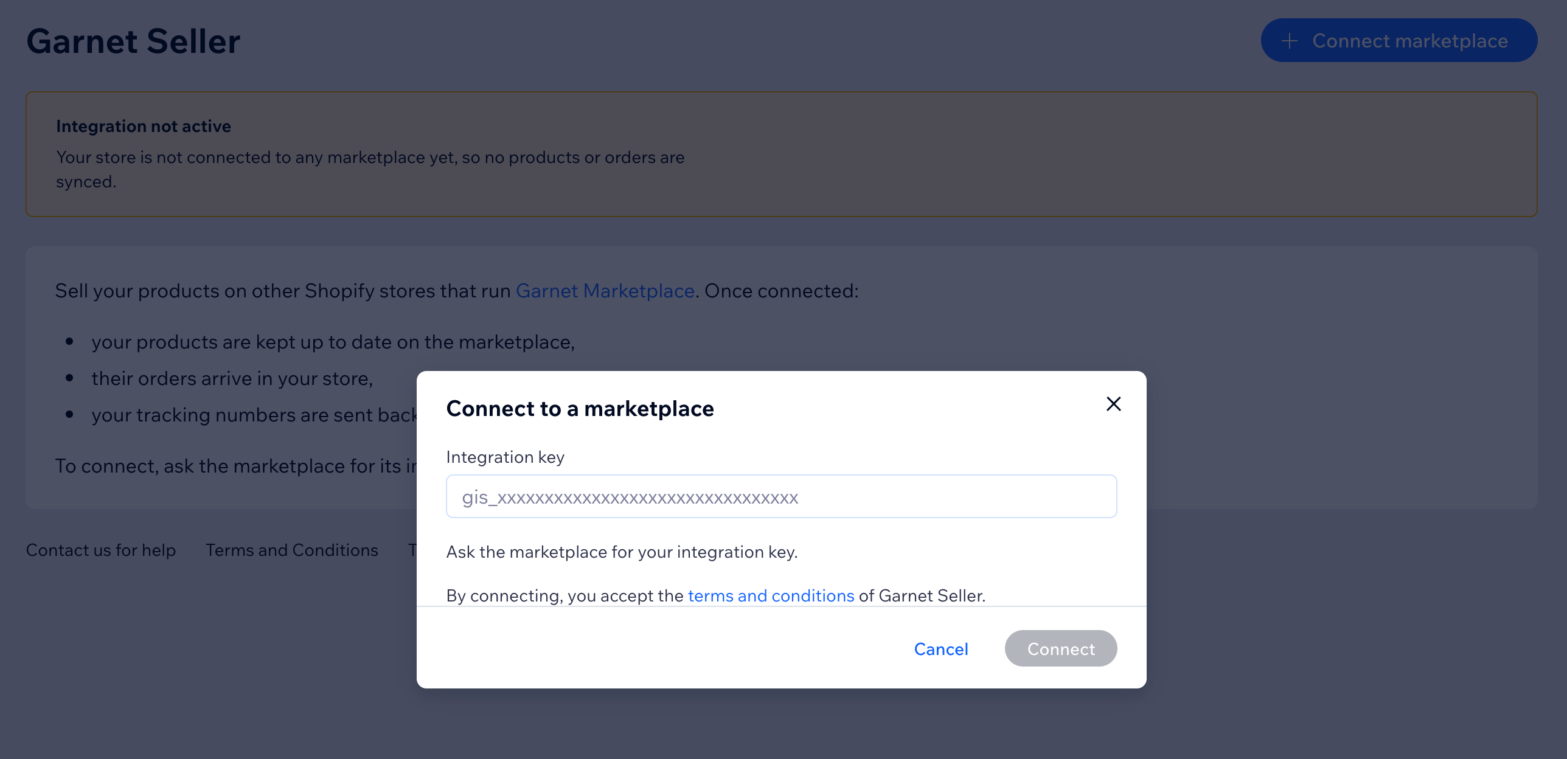
Your products appear in Products within minutes. Another marketplace: Connect marketplace with its own key.
The marketplace's orders in your store
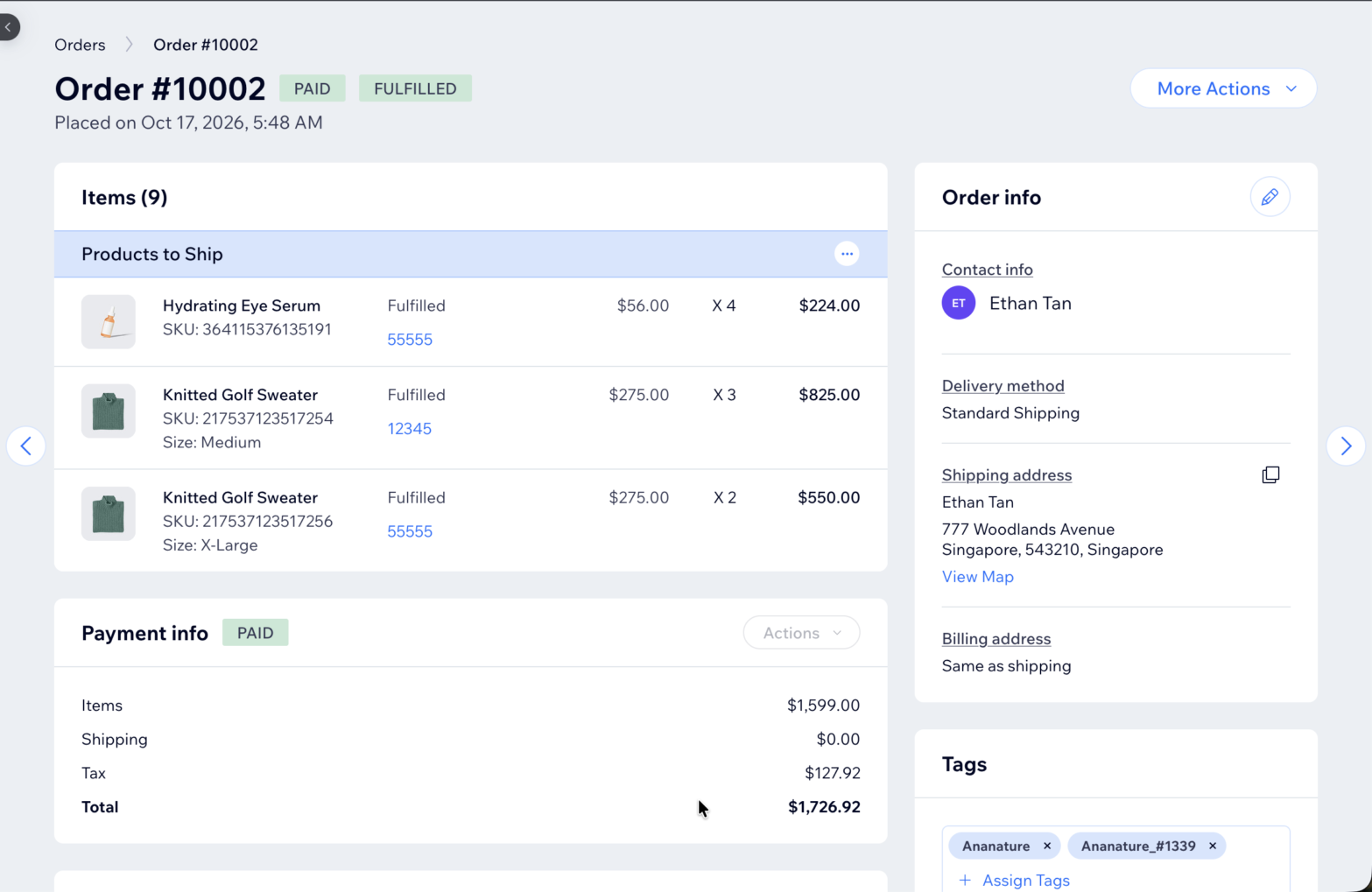
They are regular Wix orders, tagged with the marketplace's name and its order number (MyMarketplace_#1042): filter your orders on the tag. Ship them from Wix as usual: each shipment, with its tracking number, fulfils the same items on the marketplace.
If it does not work
- No products yet: the import takes a few minutes; a product needs to be visible, with an image.
- The app is gone from the site: uninstalling Garnet Seller disconnects every marketplace; add it again and connect with the same key.
- An order did not arrive: it holds none of your synced products, or is not paid yet.
Ask your marketplace
Whether it imports all your products or picks them, and whether you may edit the price rule.