English
Connect your WooCommerce store
Connect your store once, from Settings > Integrations, and your products, stock and prices stay in sync with the marketplace without any work on your side: you keep selling from your store, and the marketplace follows.
What syncs
- ✅ Products, variations, prices and stock, as soon as they change
- ✅ Orders: the marketplace's orders are created in your store, paid
- ✅ Tracking, with the popular carriers, and cancellations
- ✅ Several marketplaces from one store
Connect
In
Settings > Integrations, pickWooCommerceand copy your integration keyIn WordPress, go to
Plugins > Add New, searchGarnet Seller, install and activate it (WordPress 6.2 or later). It is also on wordpress.org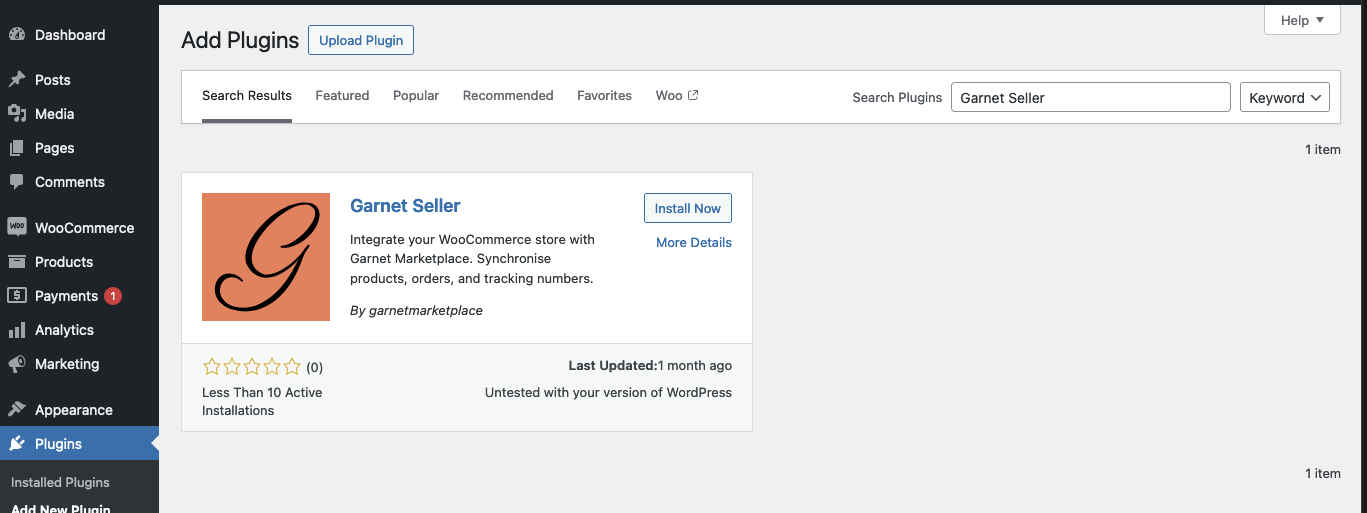
Open
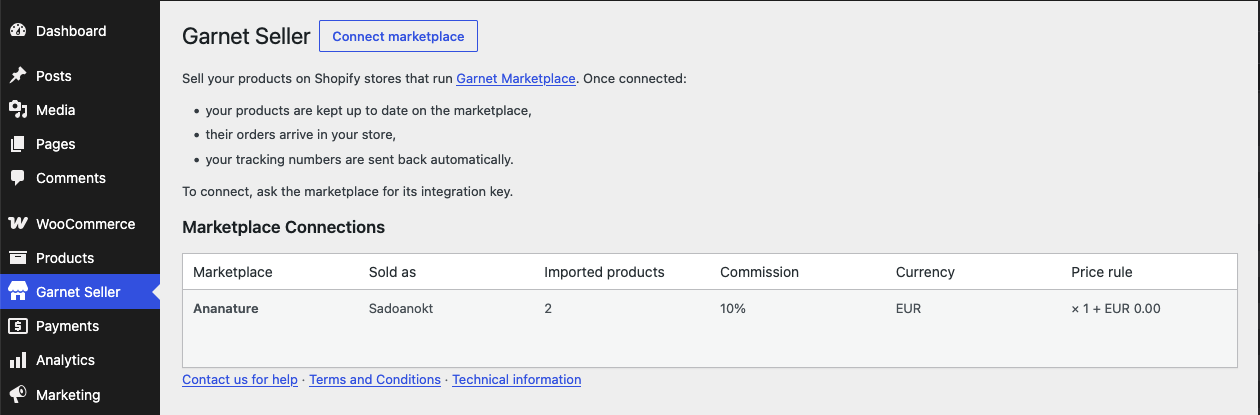
Garnet Sellerin the WordPress menu, paste the key and clickConnect
Your products appear in Products within minutes. Another marketplace: Connect marketplace with its own key.
The marketplace's orders in your store
They are regular WooCommerce orders whose payment method is the marketplace's name, with Marketplace and Marketplace Order (such as #1042) in their meta data: search WooCommerce > Orders on the marketplace's name. Fulfil them as usual: the tracking reaches the customer. An order cancelled on the marketplace moves to Cancelled in your store.
Security
Everything the marketplace does on your store comes from two addresses: 63.184.34.121 and 63.188.133.167. If your site sits behind a firewall or a security plugin, allow them; for extra security, you can allow the plugin's endpoints to those two addresses only.
If it does not work
- No products yet: the import takes a few minutes; a product needs to be published, with an image.
- The plugin cannot connect: a security plugin or firewall blocks the marketplace, see above.
- An order did not arrive: it holds none of your synced products, or is not paid yet.
Ask your marketplace
Whether it imports all your products or picks them, and whether you may edit the price rule.