English
Fulfil an order
Open the order in Orders, click Fulfill items, enter the tracking number and carrier, and click Fulfill items again: the customer receives the shipping confirmation with the tracking.
The order
You get an email for each new order, and the Orders tab shows how many wait. Each order lists only your items: the customer buys from several sellers in one basket, and each sees their part.
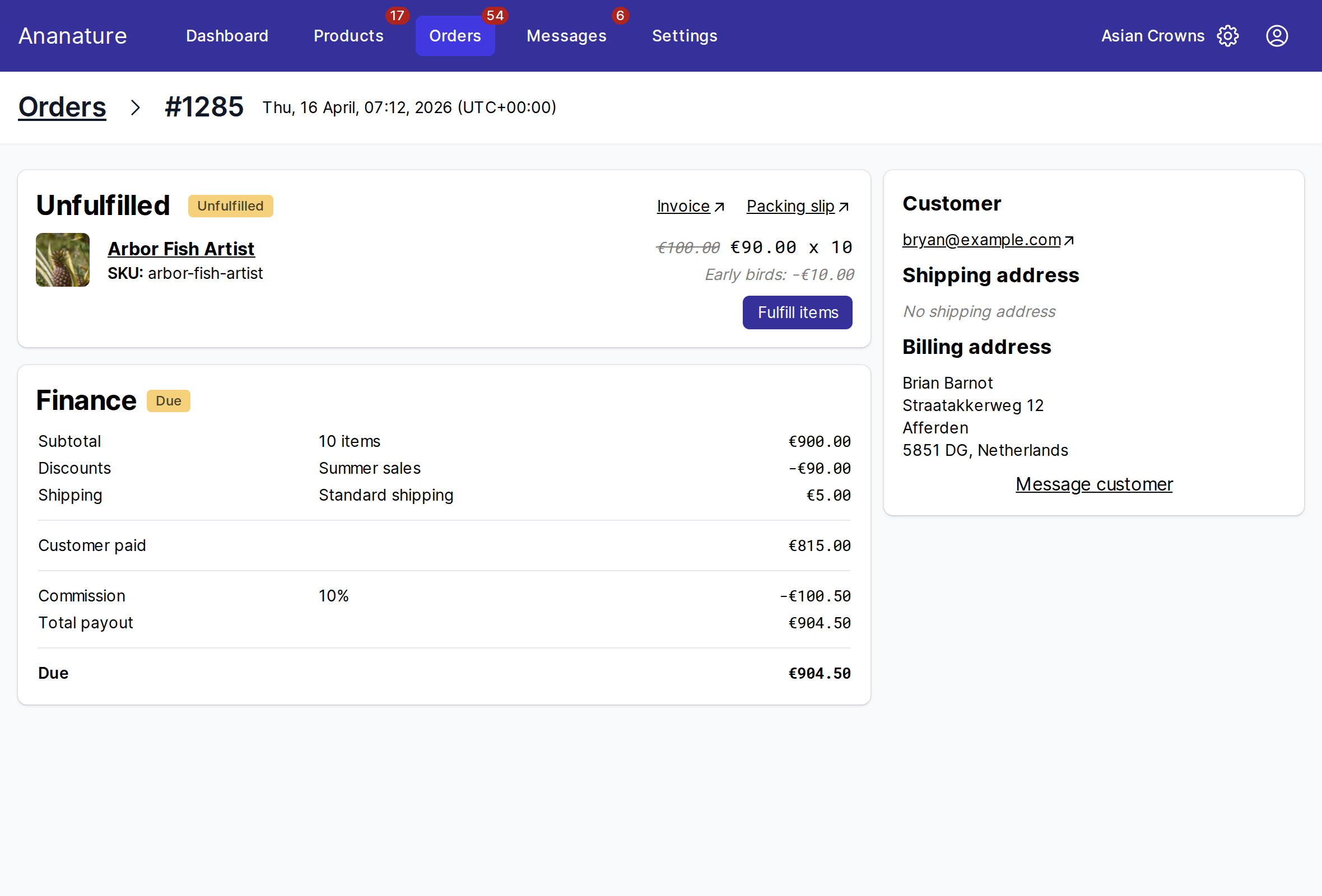
InvoiceandPacking slipopen the documents to print.- The
Customercard has the shipping address: ship there, not to the billing address. Message customeropens a conversation about this order.
Fulfil
- Click
Fulfill items - Set the quantity of each item you are shipping now. Ship part of the order and the rest stays
Unfulfilled - Under
Send package, pickUse my own rateand fill inTracking numberandShipping carrier. For a carrier not in the list, pickOtherand paste theTracking URL - Click
Fulfill items
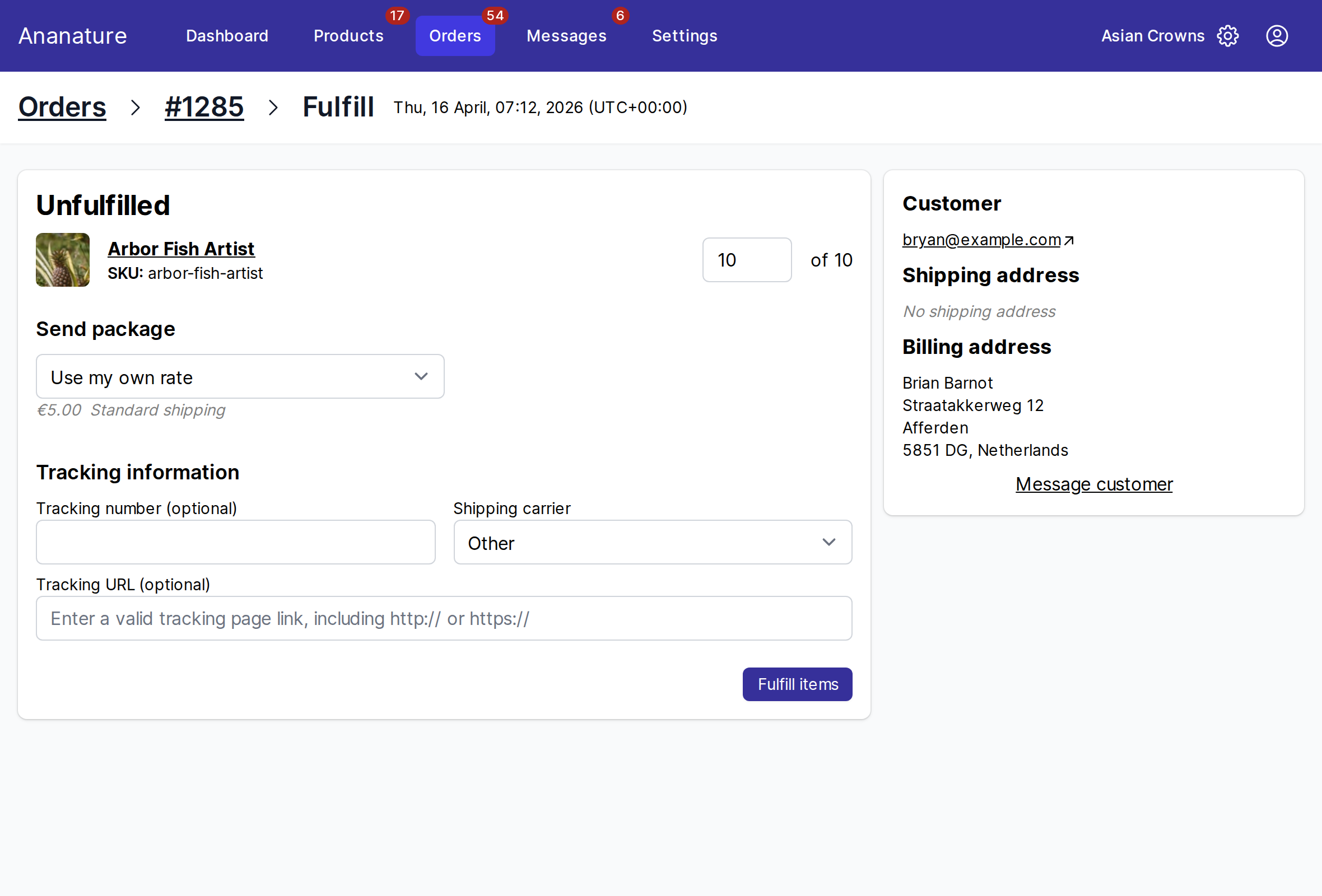
When your marketplace offers shipping labels, Send package also lists Print label with …: enter the parcel's weight and size, pick a rate, and the label is bought and the tracking filled in for you.
Several orders at once
In Orders, tick the orders, click Bulk fulfill, type each tracking number and carrier, and click Fulfill X orders. Download CSV and Upload CSV do the same from your shipping software's file.
If your store is connected
The order was created in your own store too: fulfil it there, and the tracking comes back to the marketplace on its own. See Connect your online store.
Ask your marketplace
How fast you must ship, the carriers it expects, whether the tracking number is mandatory.