English
Connect your Odoo
Connect your store once, from Settings > Integrations, and your products, stock and prices stay in sync with the marketplace without any work on your side: you keep selling from your store, and the marketplace follows.
What syncs
- ✅ Products that can be sold, their variants, prices and free stock
- ✅ Orders: the marketplace's orders become sales orders in Odoo
- ✅ Tracking, within the hour of validating the delivery
Odoo 17 or later, with the Sales and Inventory apps. On Odoo Online and Odoo.sh, only the Custom plan opens the API.
Connect
In Odoo, click your avatar, then
Preferences, openAccount Securityand clickNew API Key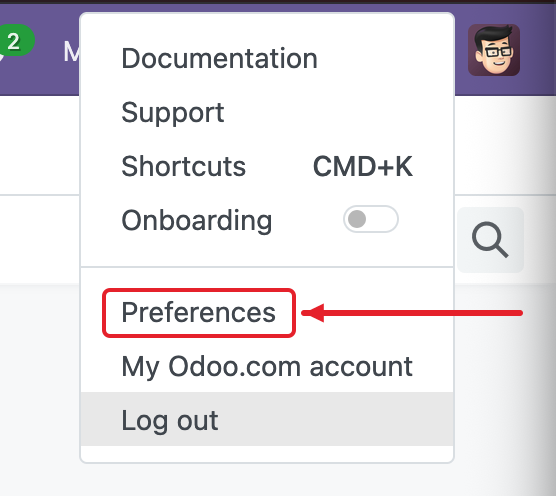
Name it
Garnet Marketplace, choosePersistent Key(an administrator's choice; another user's key expires after 3 months) andGenerate key. Copy it: Odoo shows it once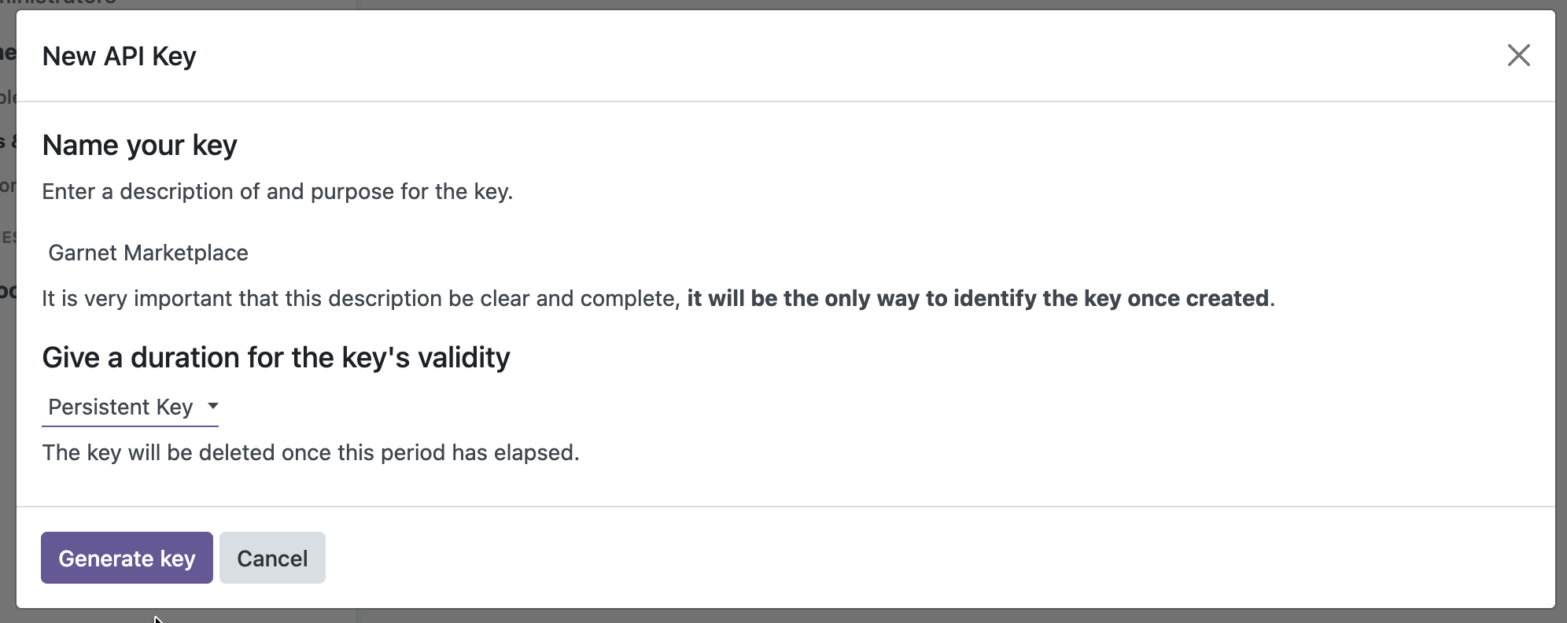
In
Settings > Integrations, pickOdoo, paste the key with your Odoo URL (mycompany.odoo.com) and your login email, thenConnect. On Odoo.sh or your own server, also enter your database name under the advanced settings
Your products appear in Products within minutes. The advanced settings also choose the warehouse whose stock is published and the delivery method of the marketplace's orders.
The marketplace's orders in Odoo
They are sales orders of a customer named after the marketplace, with [Marketplace] #1234 as customer reference and the end customer as delivery address. Validate the delivery with its tracking reference as usual, and the customer receives it; a partial delivery fulfils what it contains.
Security
Everything the marketplace does on your Odoo comes from two addresses: 63.184.34.121 and 63.188.133.167. On your own server, allow them through the firewall; for extra security, you can allow the API to those two addresses only.
If it does not work
- Odoo refuses the connection: your Odoo Online plan has no API, or the key's user lacks
Sales: All DocumentsandInventory: User. - The key stopped working: a non-administrator's key expires after 3 months; create a new one and connect again.
- The stock is wrong: the free quantity of the chosen warehouse is published, reserved stock excluded.
Ask your marketplace
Whether it imports all your products or picks them.