English
Set your shipping rates
Go to Settings > Shipping and set what customers pay to receive your products. A customer in a country you have no rate for cannot check out your products, so cover every country you ship to.
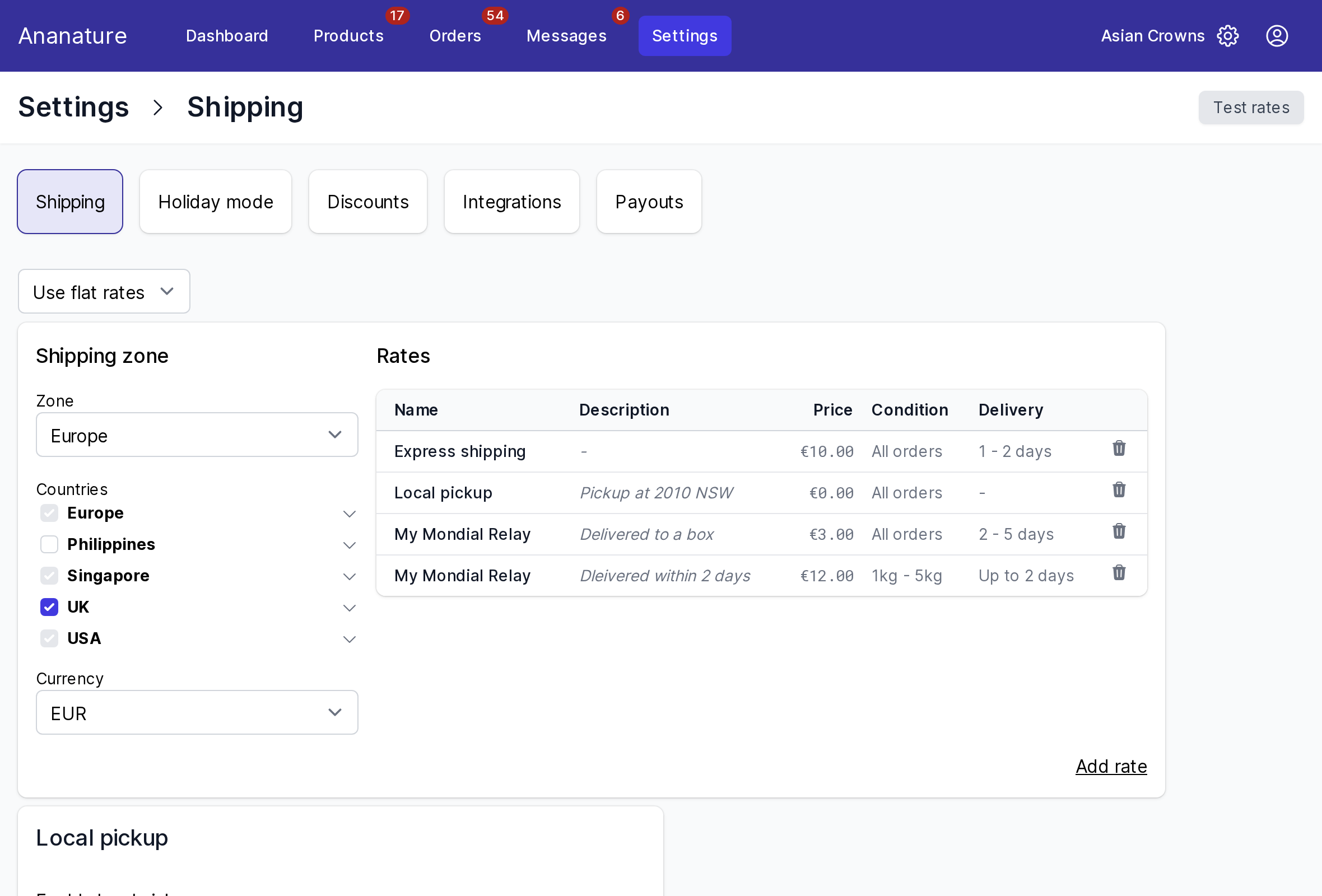
Your marketplace offers one or more of the options below. When it offers several, pick yours in the selector at the top of the page, then click Save. Until you save your own, your marketplace's default shipping applies.
Flat rates
Rates you set yourself, by country and by cart value or weight.
- Pick a
Shipping zone, orCreate a new zone, and tick itsCountries. A country can only be in one zone. Pick the zone'sCurrencyif you price in another currency than the marketplace's: customers see the converted price. - Click
Add rateand fill in:Name: pick from the names your marketplace suggests, such asStandard shipping, so your rates combine with other sellers' at checkoutDescription (optional), shown at checkoutPriceCondition:Based on order priceorBased on order weight, with a min and a maxDelivery, the minimum and maximum days (optional)
- Click
Save
To offer free shipping above a cart value, add a second rate at 0 with a Min price. Weight rates need the weight of each product: set it on the product.
Leave no gap: with a rate up to 5 kg and none above, a 6 kg cart cannot be ordered.
Live rates
The carrier quotes the customer from your address and your parcel, and you buy the label when you fulfil the order.
- Fill in
Ship from, the address you ship from - Set the
Default package, the size and weight of a parcel; change it on a product when it differs - Optionally,
Select carrier servicesto keep only the couriers you use - Click
Save
Shopify rates
Only if your Shopify store is connected: Use Shopify rates charges customers the rates of your own store. You copy nothing; the page lists your Shopify shipping profiles.
Local pickup
Turn on Enable local pickup and enter the Pickup address where customers collect their order.
Check your rates
Click Test rates, enter a customer's address and pick the items: you see the rates exactly as at checkout.
Ask your marketplace
Which options it offers, the rate names to use, and who pays the shipping label: see When and how much you are paid.