English
Connect your online store
Only if your marketplace offers it: you then see Settings > Integrations. Pick your platform, follow its instructions with your integration key, and your products import themselves, with their stock and prices kept in sync, your orders created in your store and your tracking sent back.
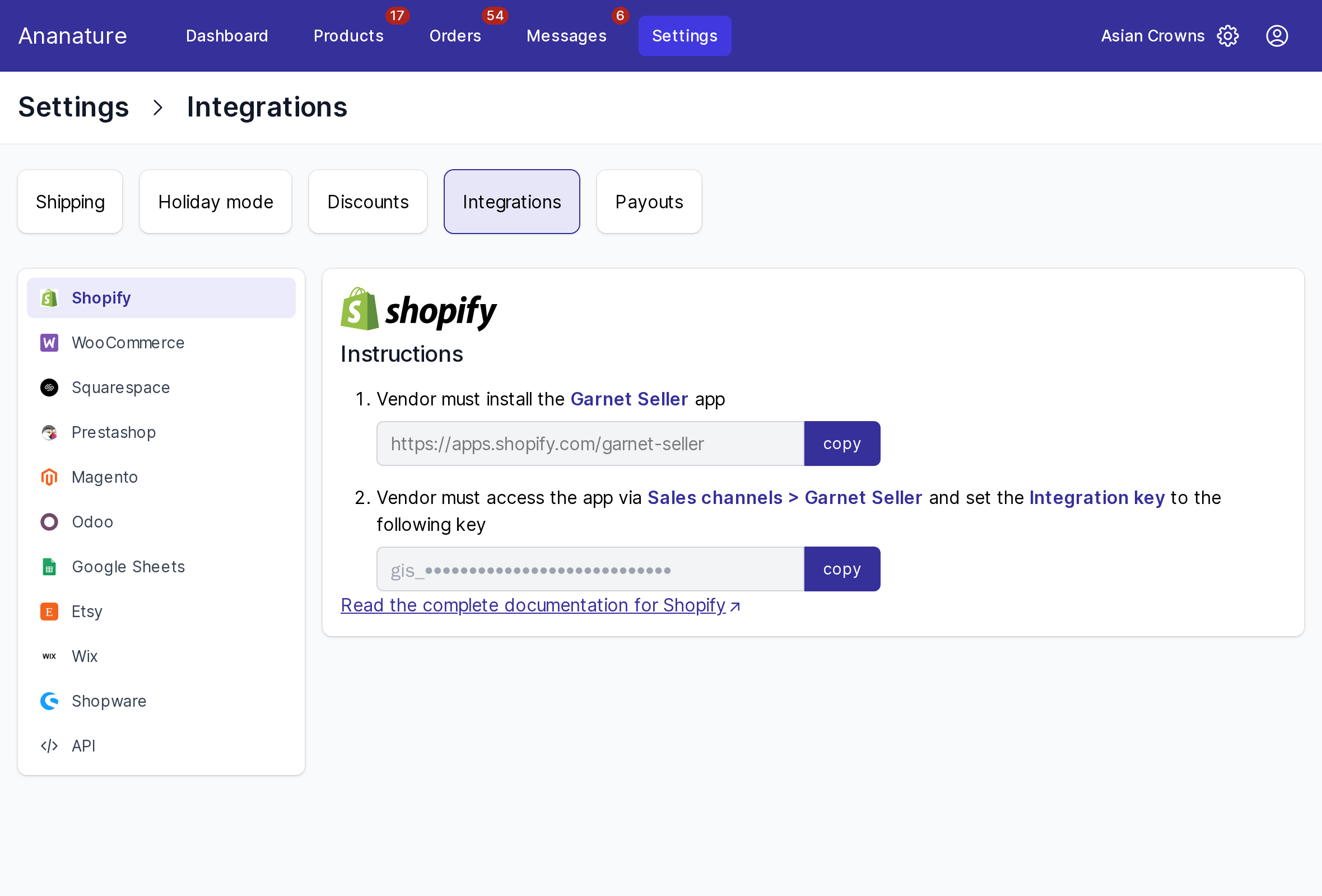
Connect
- Go to
Settings > Integrationsand pick your platform - Follow the instructions shown. For Shopify, WooCommerce, Wix and Shopware, install the Garnet Seller app in your store, open it, and paste your integration key (
gis_…), withcopynext to it - Back in
Settings > Integrations, the connection shows as connected, and the import starts
One store can serve several marketplaces: each gives you its own key. The steps of each platform:
- Shopify, WooCommerce, Wix, Shopware: the Garnet Seller app
- Squarespace: an installation link
- PrestaShop: the Garnet Seller module
- Magento and Odoo: an API key
- Etsy: the link of your shop, imported once
- Google Sheets: a spreadsheet as your store
- The API: for your own software
What syncs
| From your store to the marketplace | From the marketplace to your store |
|---|---|
| Products: title, description, images | Orders, created as paid orders with the customer address |
| Variants, prices, stock | |
| Tracking, when you fulfil an order |
Edit your products, prices and stock in your store: the marketplace follows within minutes. Fulfil the marketplace's orders in your store, like your own: the tracking reaches the customer.
Which products
Every active product of your store with at least one image, and on most marketplaces some stock, unless your marketplace chose to pick the products itself. Imported products are Pending until approved, like the ones you add by hand: see Why is my product not on the marketplace?.
If it does not work
- A product does not import: it is a draft in your store, has no image, or is out of stock.
- A product changed in your store is not updated: it was archived on the marketplace, which stops its sync; ask the marketplace to restore it.
- The connection shows as lost: the app was removed from your store, or its access expired. Connect it again with the same key; nothing is lost.
- An order did not reach your store: it holds none of your synced products, or is not paid yet.
Ask your marketplace
Which platforms it allows, whether it picks your products or imports them all.