English
Connect your Shopify store
Connect your store once, from Settings > Integrations, and your products, stock and prices stay in sync with the marketplace without any work on your side: you keep selling from your store, and the marketplace follows.
What syncs
- ✅ Products: title, description, images, variants, prices and stock, as soon as they change
- ✅ Orders: the marketplace's orders are created in your store, paid
- ✅ Tracking: fulfil the order in Shopify and the customer receives the tracking
- ✅ Several marketplaces from one store
Connect
- In
Settings > Integrations, pickShopify: the instructions show the app link and your integration key (gis_…), withcopynext to each - Install the free Garnet Seller app from the Shopify App Store
- In your Shopify admin, open
Sales channels > Garnet Seller, paste the key and clickConnect
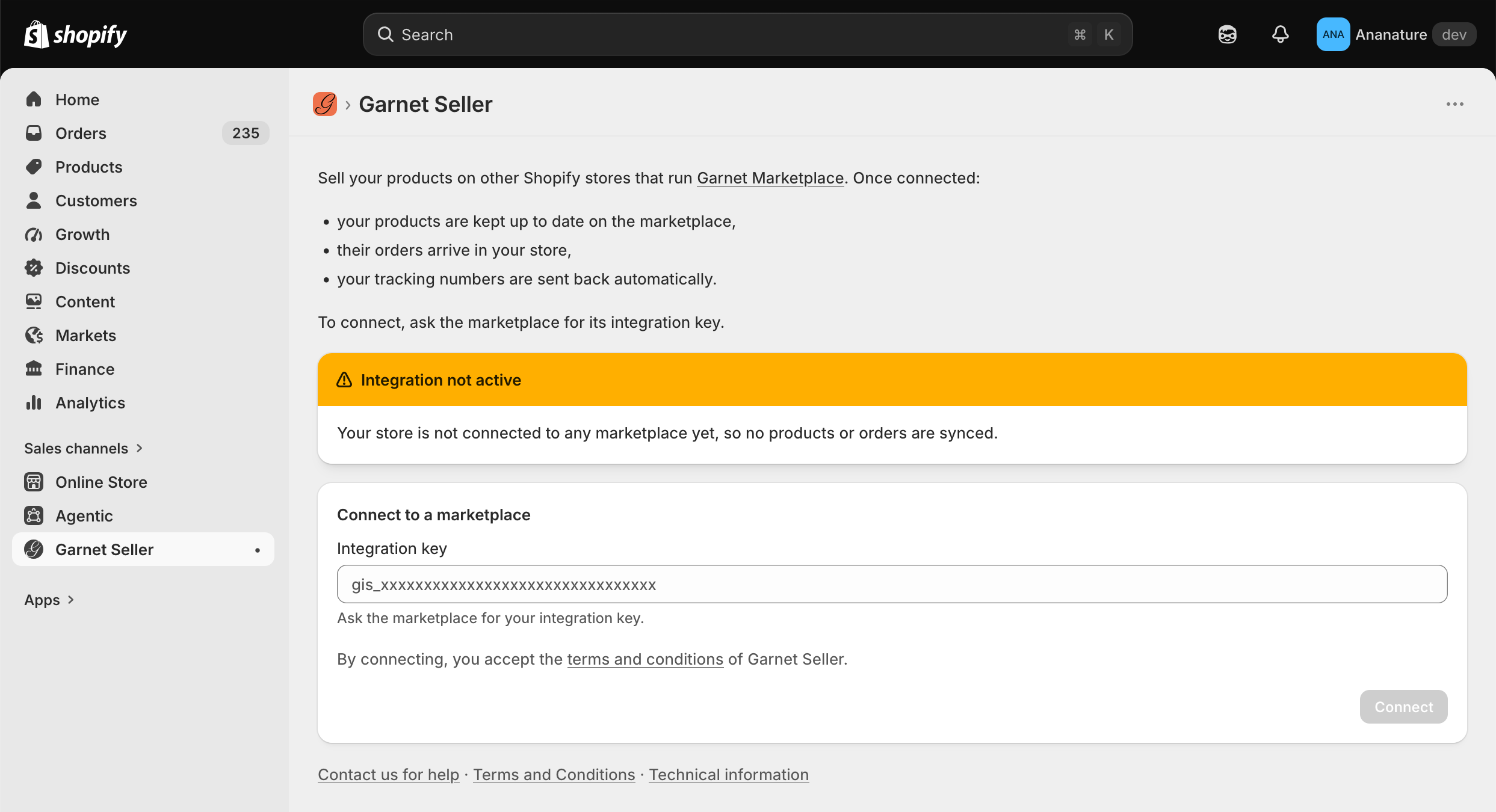
Your products appear in Products within minutes. Another marketplace: Connect marketplace with its own key.
Your marketplace's page in Garnet Seller
Garnet Seller lists every marketplace your store is connected to. Click one to open its page:
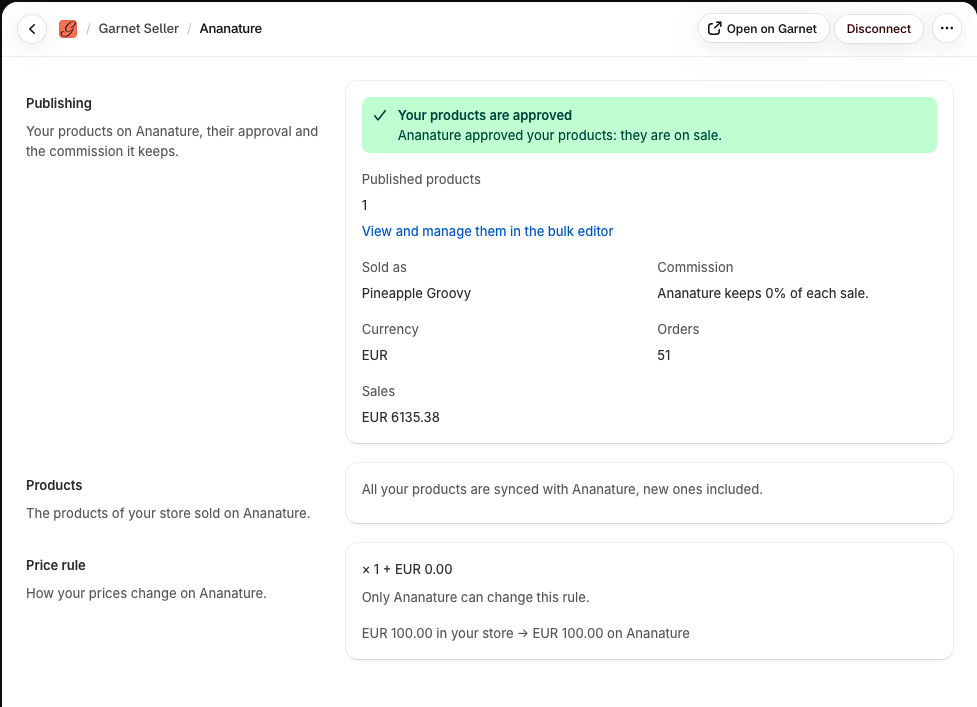
Publishing: where the marketplace stands on your products, approved and on sale, awaiting approval or rejected, with the commission it keepsProducts: the products synced with this marketplace, which you choose when the marketplace does not import them allPrice rule: how your prices are transformed on the marketplace, when it lets you edit itInventory locations: the Shopify locations the marketplace sells stock from. Tick only the ones that hold the stock you ship; the marketplace's stock updates within minutes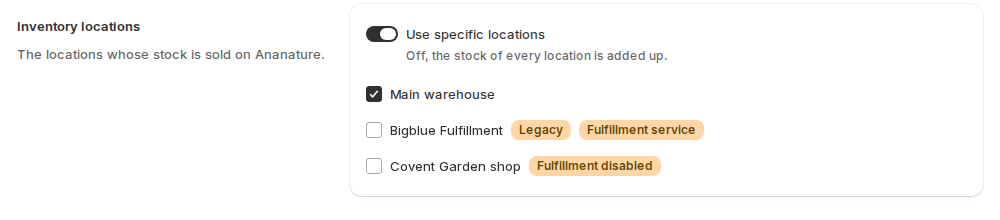
Order numbers: a prefix for the marketplace's orders in your store, such asAN-4321, to tell them from your own
Disconnect disconnects that marketplace only.
The marketplace's orders in your store
They are regular Shopify orders, tagged with the marketplace's name, with the marketplace order number in their note: filter your orders on the tag. Fulfil them as usual: the tracking reaches the customer.
If it does not work
- No products yet: the import takes a few minutes; a product needs to be active, with an image.
- Garnet Seller says the key is wrong: copy it again from
Settings > Integrations, without spaces. - The stock is wrong: check
Inventory locationson the marketplace's page in Garnet Seller.
Ask your marketplace
Whether it imports all your products or picks them, and whether you may edit the price rule.