English
When and how much you are paid
Each order shows what it earns you; your marketplace pays it on its own schedule; Settings > Payouts lists every payment you received.
How much: the order
Open an order in Orders: its Finance card does the sum.
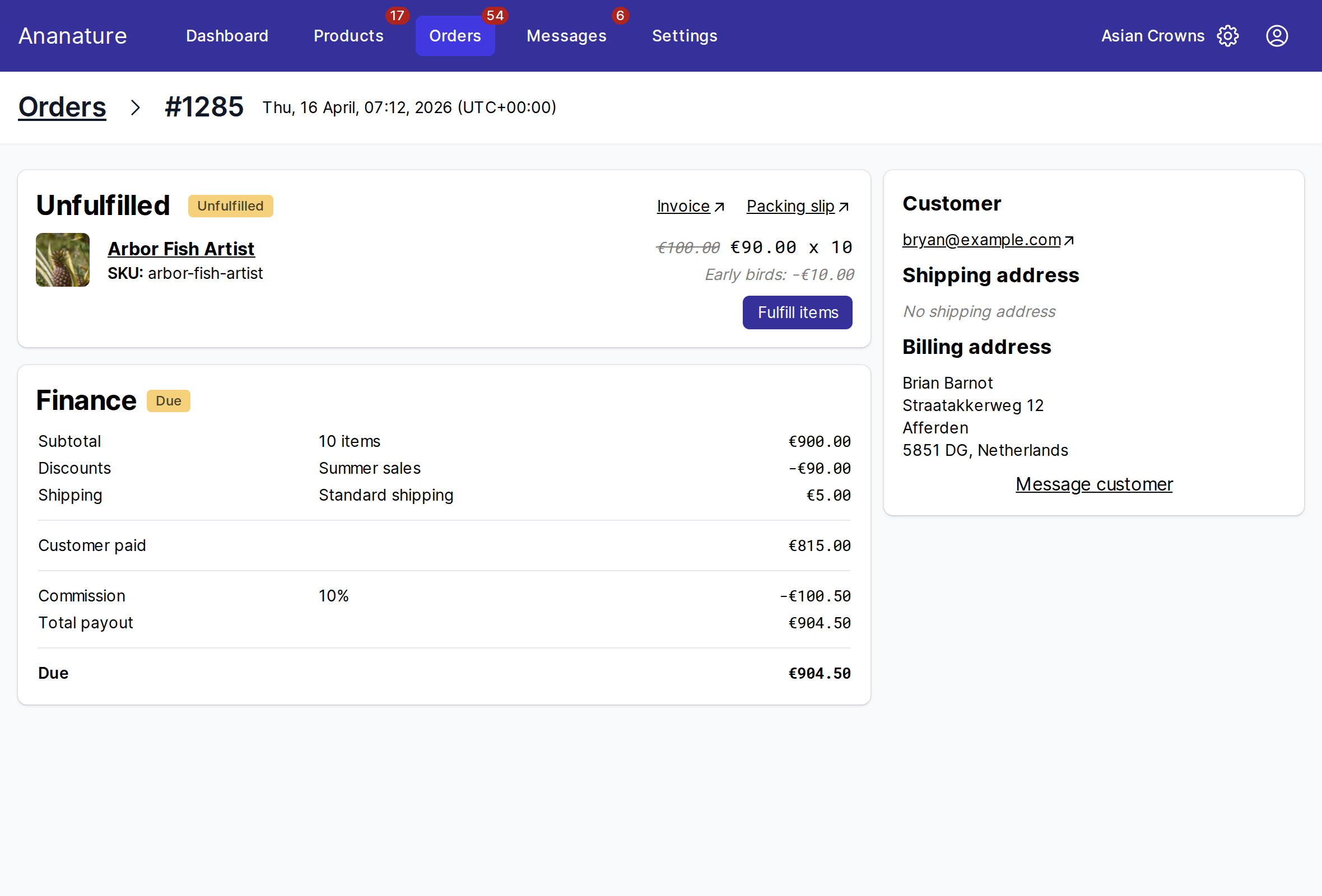
Subtotal: your items- The shipping the customer paid, when your marketplace passes it on to you, and the discounts and taxes the way your marketplace set them
Refund: taken off, see Cancellations, refunds and returnsCommission: the marketplace's share, as a rate or an amountTotal payout: what the order earns you, andDue: what remains to be paid
In Orders, Total due at the top adds up every order not paid yet, and the All payouts filter shows the paid ones, the due ones and the unpaid ones.
When: your marketplace's schedule
Your marketplace pays by hand or on a schedule it set, often once a week or once a month, and often once the order is fulfilled or delivered. The schedule is its rule, not something you set.
The payouts you received
Settings > Payouts lists them: date, transaction, amount, number of orders and method. Click one to see the orders it pays. Export payouts with their orders to CSV gives you one line per order, for your accounts.
With Stripe, Total transferred is everything sent to your Stripe account, and On its way to your bank what has not reached your bank yet. One bank deposit can cover several payouts: Stripe sends your whole balance at once. With a bank transfer, match the reference on the payout (Payout 008a3761) with your bank statement.
If it does not work
- A payout is missing: check the order's
Dueline, then the method inSettings > Payoutsis connected and verified. A method readingIncompleteblocks every payout. - The amount is lower than expected: a refund, a discount or a shipping label bought through the marketplace was taken off; the order's
Financecard lists each line.
Ask your marketplace
Its commission, its payout schedule, who pays for discounts and shipping, and any fee on top.